
Android · Open testing
 Cropy
CropyCrop & Rotate Video.
Crop and rotate videos in a few taps. Make any clip square, vertical 9:16 for Reels and TikTok, 4:5 for Instagram or 16:9 for YouTube — and fix a sideways video in one tap.
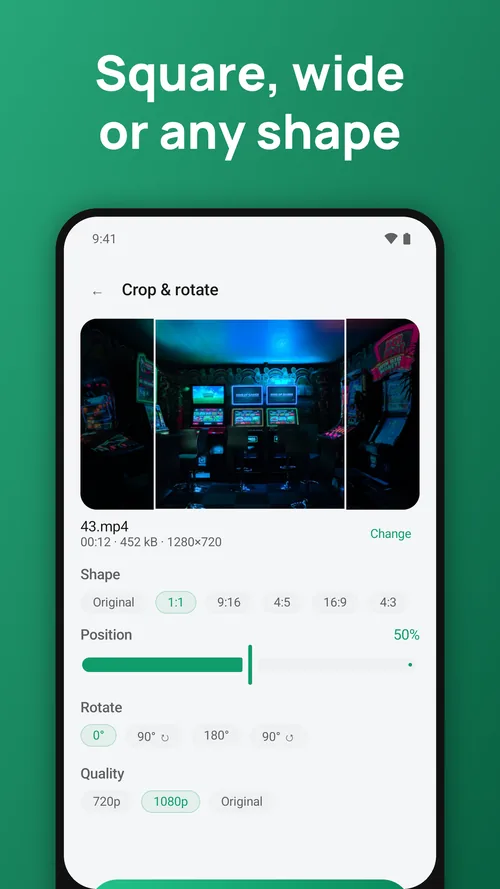
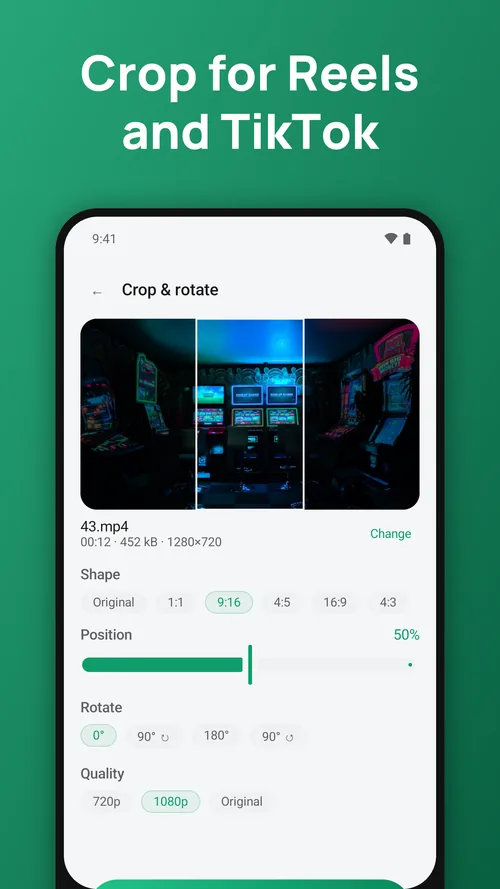
Crop video to any shape
1:1, 9:16, 4:5, 16:9 and 4:3. Slide the crop to keep the part that matters — a face, the action, the text — and cut out the black bars or the edges you don't want.
Rotate video — lossless and instant
Turn a video 90°, 180° or 270°. A rotation on its own doesn't re-encode anything, so it's done instantly and keeps the original quality.
Fit video for every app
Reels, Shorts, TikTok, Stories, Instagram feed, YouTube, Facebook, WhatsApp status and Zalo.
Quality you choose
Export at 720p or 1080p. Cropped videos are re-encoded at high quality with the sound copied across untouched.
Questions people ask
Are my videos uploaded anywhere?
No. Everything is processed on your phone. The apps work in flight mode.
Is there a watermark?
No. Nothing is ever stamped on your exports, free or Premium.
I changed phones. How do I get Premium back?
Open Settings → Restore purchases while signed in to the same Google account.
Cropy: Crop & Rotate Video
Feedback and support: hieu.trantrung1204@gmail.com