
Android · Open testing
 Framy
FramyVideo to Photo.
Turn any video into photos. Scrub to the perfect moment and Framy saves that exact frame as a full-resolution image — not a blurry screenshot of the player with buttons on top.
Video to photo — frame by frame
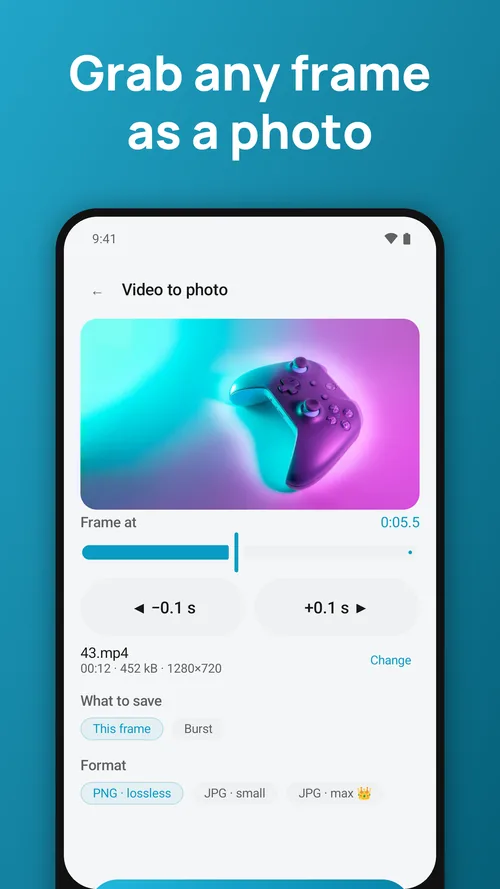
Drag through the video with a live preview, then step 0.1 second at a time to land on the frame where the eyes are open, the ball is in the air or the smile is just right. Framy decodes that precise frame at the video's own resolution.
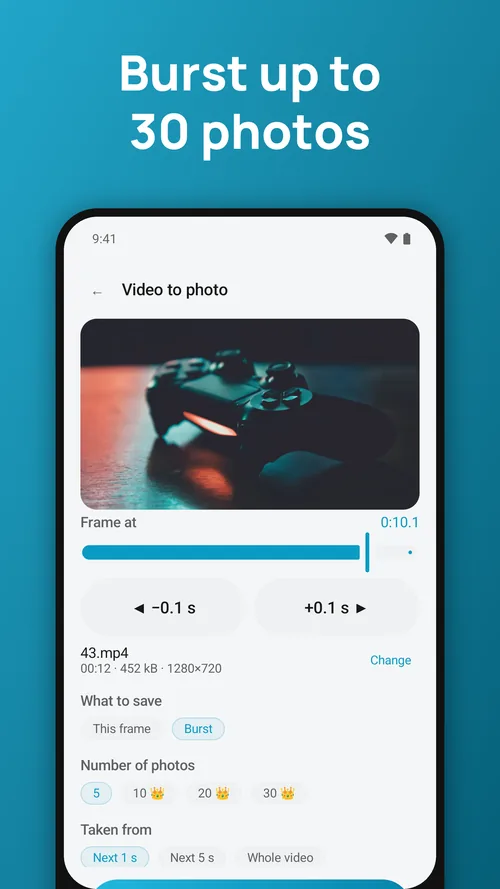
Burst — extract many frames at once
Save a series of evenly spaced photos from the next second, the next five seconds or the whole video. Perfect for sports moves, dance, pets, kids, action shots and picking the best one later.
Png or jpg
PNG keeps every pixel (lossless). JPG makes smaller files for sharing. Photos go to your Pictures folder, ready to post or print.
Great for
Grabbing a thumbnail for YouTube, a cover for Reels or TikTok, a still from a family video, a frame from a screen recording, or a sharp photo from a 4K clip.
Questions people ask
Are my videos uploaded anywhere?
No. Everything is processed on your phone. The apps work in flight mode.
Is there a watermark?
No. Nothing is ever stamped on your exports, free or Premium.
I changed phones. How do I get Premium back?
Open Settings → Restore purchases while signed in to the same Google account.
Framy: Video to Photo
Feedback and support: hieu.trantrung1204@gmail.com