
Android · Open testing
 Slomi
Slow Motion Video Maker.
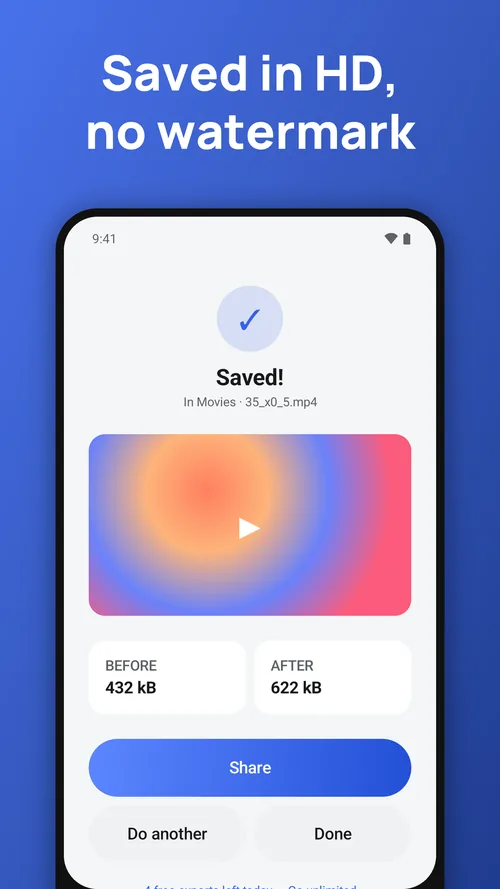
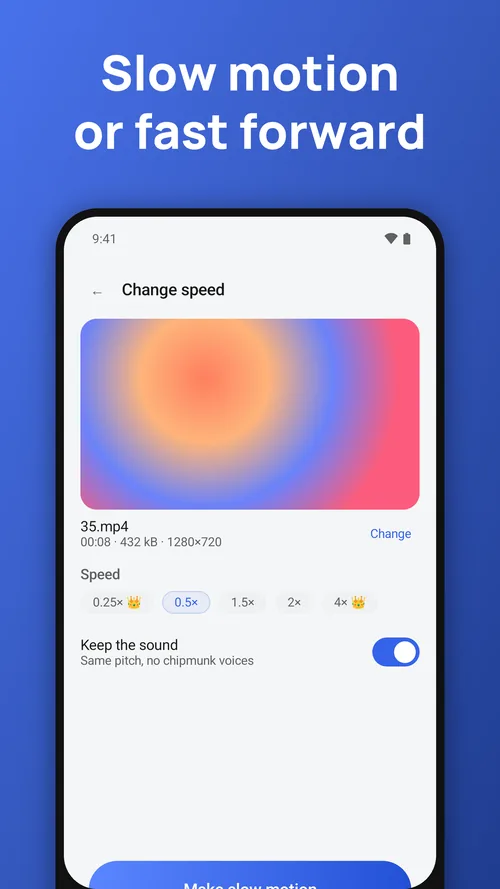
Make a slow motion video from any clip, or speed it up. Slomi is a slow mo editor with a speed slider from 0.25× to 4×, speed ramps, reverse, freeze frames and timelapse. A plain speed change copies the picture without re-compressing it, so quality stays the same.
Speed slider, 0.25× to 4×
• Set the exact speed, or use quick picks: 0.25×, 0.5×, 1.5×, 2×, 4× • Change the speed of one part only; the rest stays normal • Fit the clip to exactly 15, 30 or 60 seconds • Trim the video first; trimming is lossless
Smooth slow motion video
• Frame blending so slow motion doesn't stutter • Clips shot at a high frame rate are detected for true slow motion • Motion interpolation (Beta) builds in-between frames; pick Motion or Blend for each slow part • Motion blur, LED flicker removal, and stabilize before slowing • Record at a high frame rate on phones that support it (no sound)
Speed ramp
• Presets: Hero, Velocity, Bullet time, Slow → fast, Fast → slow, Pulse • Draw your own speed curve with easing and share it as a link • Speed synced to the beat of a song; "Hit the drop" puts the slowest point on the drop • Hold to slow: press on the preview where it should slow down • "Find every moment" gives each action peak its own speed ramp • Zoom punch, shake or pulse on impact; the zoom can follow a face or the movement • Whoosh sound as the slow part starts
Reverse, boomerang, freeze, loop
• Reverse a clip, or rewind it with a VHS look • Boomerang around the moment • Freeze frame (Plain, Snapshot, Polaroid) and save that frame as a photo • "Freeze at the peak" picks the sharpest frame at the action peak • Loop a clip; "Seamless loop" finds the end frame that best matches the first • Stutter, motion trail, and a speed or clock label on the video
Fast motion and timelapse
• Timelapse from 8× to 64×, or hyperlapse that removes walking shake • Smart fast-forward speeds up the waiting and keeps the action at 1× • "Keep talking at 1×" leaves the parts where someone speaks alone • Frame rate: smooth 60 fps, cinematic 24 fps, stop-motion, or fix a variable frame rate
Sound that fits
• Keep the sound at natural pitch, or choose deep slow-mo, tape or off • "Suggest sound for the slow part" listens for speech, music or noise • Replace the sound with a song from your phone
More in this slow mo editor
• Save as GIF or HD GIF (720p) • Change the speed of several videos at once • Compare the original and the slow version • Trending recipes, and a sample clip to try first
Great for
Sports, dance, a golf or tennis swing, jumps, splashes, pets, weddings and travel. Speed through tutorials, cooking and long drives. Share each slow motion video to Reels, Shorts or TikTok.
Free and Premium
Free: 5 exports a day, speeds from 0.5× to 2×, trim, fit, one-part speed, frame blending, Hero and Velocity ramps, 2 moments, hold to slow on 2 parts, reverse up to 15 s, boomerang, freeze, loop, 24 fps, stop-motion, 8× timelapse, smart fast-forward on clips up to 5 min, zoom punch, music, GIF at 480 px and 3 videos per batch. Premium removes ads and adds unlimited exports, speeds below 0.5× and above 2×, every speed ramp preset, speed curves, beat-synced speed, motion interpolation, 60 fps, motion blur, longer reverse, timelapse up to 64×, hyperlapse, HD GIF, batches of up to 20, high frame rate recording and every other tool marked with a crown. Monthly, yearly or lifetime.
Private by design
• Videos are processed on your phone and never uploaded • No account, no sign-in • Files come from the system picker; nothing else in your storage is read
FAQ
Will my slow motion video lose quality? A plain speed change keeps the original picture; smoothing and effects re-encode it. Does this slow mo editor add a watermark? No. Very slow motion looks choppy? Turn on frame blending, or film at a higher frame rate.
Export format
Reads MP4, MOV, 3GP, MKV and WebM. Saves MP4, GIF, and JPEG for freeze photos.
Questions people ask
Are my videos uploaded anywhere?
No. Everything is processed on your phone. The apps work in flight mode.
Is there a watermark?
No. Nothing is ever stamped on your exports, free or Premium.
I changed phones. How do I get Premium back?
Open Settings → Restore purchases while signed in to the same Google account.
Slomi: Slow Motion Video Maker
Feedback and support: hieu.trantrung1204@gmail.com