
Android · Open testing
 Slicely
Video Splitter.
Got a long video that won't fit in a Status or a Story? Slicely cuts it into equal parts in seconds — 15, 30, 60 or 90 seconds each — so you can post them one after another. Free, offline and with no watermark.
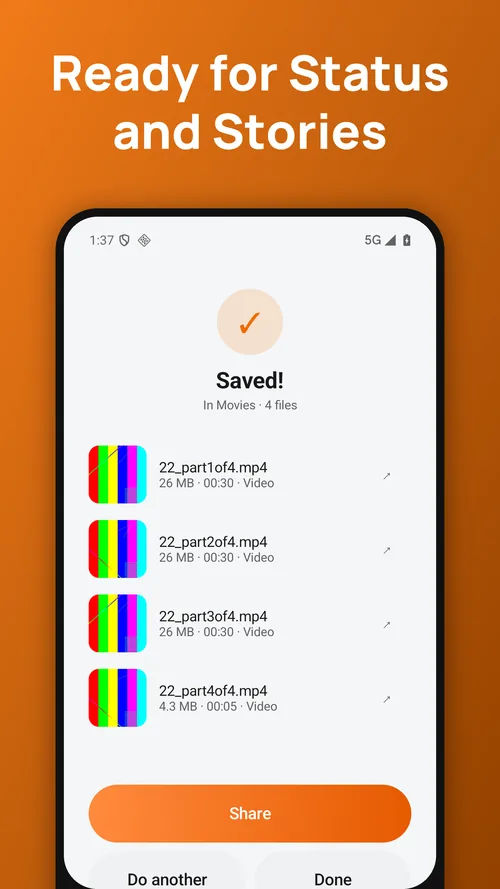
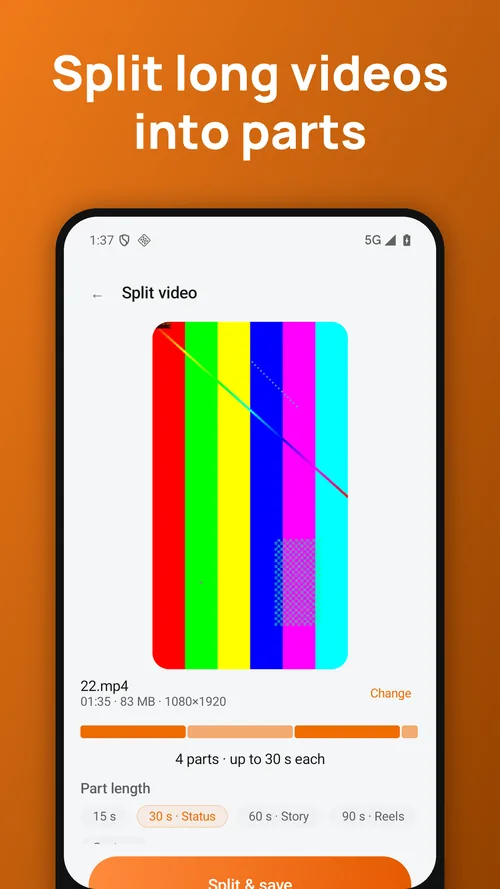
Split video for whatsapp status
Pick a video, tap "30 s" and Slicely turns it into ready-to-post parts. Post them in order and your whole clip plays as a series.
Story cutter for instagram, facebook and more
60-second parts for Stories, 90-second parts for Reels, or slide to any length you like. See how many parts you'll get before you save.
Number your parts
Turn on the 1/N label and every part shows its place in the series, so viewers know what to watch next.
Fast and lossless
Without the label, parts are cut straight from the original file — no re-encoding, no quality loss, and a clip that is 10 minutes long is split in moments. Cuts land on the nearest keyframe, so a part can run a fraction of a second over.
Everything saved together
All parts go to your gallery in one go. Share any of them straight from the result screen, or find them later in the built-in Library.
Questions people ask
Are my videos uploaded anywhere?
No. Everything is processed on your phone. The apps work in flight mode.
Is there a watermark?
No. Nothing is ever stamped on your exports, free or Premium.
I changed phones. How do I get Premium back?
Open Settings → Restore purchases while signed in to the same Google account.
Slicely: Video Splitter
Feedback and support: hieu.trantrung1204@gmail.com